
How to choose key account management software
A practical guide for Key Account Managers and founders comparing CRM, account planning software, stakeholder mapping tools, and KAM platforms.
Reviewed against the current Visioner product and the sources linked in this guide. No customer result, market rank, or performance outcome is implied.
What to remember
Choose the category before choosing the vendor: a system of record, enterprise KAM program, account intelligence product, and daily KAM workspace solve different jobs.
Test each shortlist product with one real account for 30 minutes. A useful tool should expose the next action, stakeholder gaps, and relationship risk without demanding complete data first.
Visioner is a strong fit for individual KAMs and founders who want a daily account planning CRM. It is not yet a replacement for enterprise forecasting, territory management, or compensation systems.
Compare software categories before vendors
These categories overlap, but their default user and operating model differ. Use this matrix to decide which category belongs on the shortlist before comparing feature counts.
| Decision criterion | Primary job | Best fit | Watch for |
|---|---|---|---|
| Enterprise CRM | System of record for pipeline, forecasting, contacts, and reporting | Organizations that need standardized sales operations and executive reporting | Deep account work can become another layer of fields, objects, and required updates |
| Enterprise KAM platform | Governance, repeatable account plans, collaboration, and program rollout | Mature strategic-account programs with executive sponsorship and enablement resources | Implementation effort, enterprise pricing, and whether working KAMs adopt it voluntarily |
| Account intelligence | External company signals, contact discovery, enrichment, and research | Teams that already have a workflow but need better external data | More data does not automatically create a usable account plan or next action |
| Workspace or spreadsheet | Flexible notes, tasks, tables, and custom account templates | Individuals experimenting with a lightweight process | Relationships, reporting lines, project links, and history become fragile as complexity grows |
| Account planning CRM | Daily account execution across projects, people, tasks, relationships, and signals | KAMs managing a small number of complex, high-value accounts | Confirm the product can coexist with the corporate CRM and has a credible team expansion path |
KAM software evaluation scorecard
Download a neutral CSV scorecard with suggested weights for daily KAM usefulness, stakeholder visibility, relationship health, security, CRM coexistence, and operating cost. No email form and no vendor is pre-scored.
A strong fit
- A KAM or founder personally working three to ten strategic accounts
- Long sales, renewal, or expansion cycles involving multiple stakeholders
- Teams keeping Salesforce or HubSpot as the official record while improving daily account execution
Probably not the right fit
- High-volume lead generation, marketing automation, or call-center workflows
- Replacing finance, territory, quota, compensation, or enterprise forecasting systems
- A company that requires mature enterprise governance and manager reporting before individual adoption
1. Start with the user and the buying job
A Sales VP, sales operations team, and individual Key Account Manager often mean different things when they search for key account management software.
The executive buyer may want governance, consistent account plans, pipeline visibility, and manager reporting. The individual KAM usually wants a calm daily workspace: which account needs attention, which project is moving, who matters, which relationship is cold, and what should happen next. Neither requirement is wrong, but they should not be hidden inside one undifferentiated feature list.
- If the buyer is sales leadership, prioritize rollout, governance, reporting, and CRM integration.
- If the buyer is a working KAM, prioritize speed, visibility, task flow, relationship context, and low data-entry burden.
- If the buyer is a founder, prioritize simple setup, account depth, and one place to work a few high-value accounts.
2. Define the minimum daily workflow
Write down the five decisions the KAM must make during a normal week before reviewing products. A practical baseline is: what matters today, which project is at risk, who influences the decision, which relationship needs attention, and what action should happen next.
The software should connect those decisions without forcing the account owner to rebuild context across a CRM, spreadsheet, task app, org-chart slide, inbox, and notes document. Integration breadth matters later; first confirm that the core account workflow is coherent.
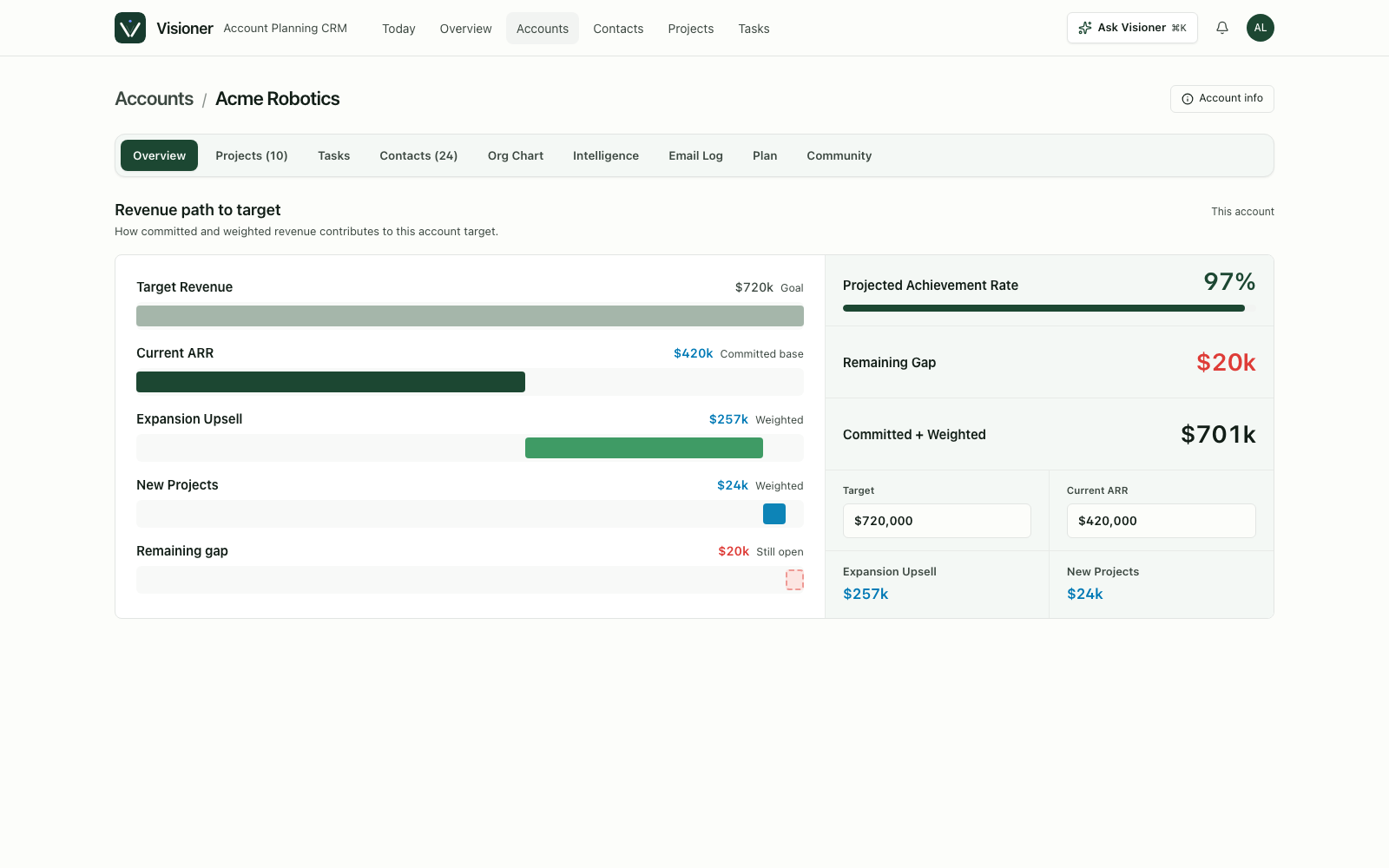
- Account overview connects revenue context to current work.
- Projects show stage, next step, stakeholder coverage, risk, and recent activity.
- Contacts and org charts reveal influence, reporting lines, relationship health, and unknown roles.
- Tasks stay lightweight enough for daily use and completed work remains useful as progress evidence.
- Incomplete data creates visible signals, not blocking validation errors.
3. Run a 30-minute real-account test
A polished vendor demo can look impressive but still fail in daily use if every update requires too many clicks, mandatory fields, or separate reporting work. Use a real but non-sensitive account sample and let the intended user drive.
Add one current project, twenty contacts, a rough org chart, three missing stakeholder roles, and the tasks the KAM actually needs to do this week. The product should feel more useful after thirty minutes, not heavier. Record how many separate screens and required fields were needed to answer the next-action question.
- Can you create a useful account overview without complete data?
- Can you see project status and stakeholder coverage together?
- Can you map unknown seats and treat them as risks rather than errors?
- Can relationship health and follow-up cadence become visible without manual reporting?
- Can completed work turn into a weekly progress record?
- Can the user export their data and understand cloud, email, and enrichment boundaries?
4. Check adoption, security, and operating cost
License price is only one part of the operating cost. Include implementation time, CRM administration, data enrichment, AI or research credits, email capture, training, and the cost of maintaining duplicate account plans.
Security questions should follow the data flow. Ask which data remains local or in the vendor cloud, who can read captured email content, how API keys are stored, what is deleted on request, and which third-party providers receive account or contact data. A feature should not be treated as free merely because its infrastructure cost is hidden.
- Measure voluntary weekly use by account owners, not only records created.
- Separate core subscription cost from enrichment, research, email, and AI usage.
- Confirm role permissions, deletion, backup, export, and incident-response expectations.
- Define whether the new tool supplements or replaces the corporate CRM.
5. Use a weighted selection scorecard
Before buying key account management software, assign weights to the work it must support. A tool that wins the executive checklist but loses daily KAM adoption may not solve the real problem. A tool that feels delightful but cannot meet required security or system-of-record constraints is also not ready for rollout.
The strongest signal is whether the account owner voluntarily returns to the product during the week because it helps them work the account, not because management requires another update.
- Daily usefulness for the KAM
- Stakeholder and org-chart visibility
- Project and revenue context
- Relationship health and cadence
- Soft completion for incomplete account knowledge
- Low-friction activity capture
- Clear upgrade path for team workflows and CRM integration
Where Visioner fits in the shortlist
Visioner is positioned as an Account Planning CRM for Key Account Managers, not a full enterprise KAM suite. Its current wedge is the individual KAM or founder who manages a few strategic accounts and wants a better daily operating workspace alongside, or before adopting, a larger corporate system.
The relevant proof is practical usability: portfolio and account overview, projects, contacts, tasks, org charts, relationship health, account signals, cloud sync, and paid email capture in one workspace. Buyers that need mature enterprise governance, broad CRM replacement, or fully managed enrichment should evaluate those gaps explicitly instead of assuming they are already solved.
- Start free with up to three accounts and validate the daily workflow.
- Use Basic when cloud email capture and a larger account portfolio matter.
- Evaluate Pro for cloud backup, organization intelligence, and emerging intelligence workflows, while treating Preview features as Preview.
Sources and review basis
These references support the guide's category definitions and operating context. Visioner product details are checked against the current public product and pricing pages.
- Gartner: Increase Seller Account Planning Adoption
Research summary on aligning account-planning tools with account-manager workflows.
- McKinsey: Digital and key-account management
Research context for evaluating digital support and tools in key-account work.